에러
express

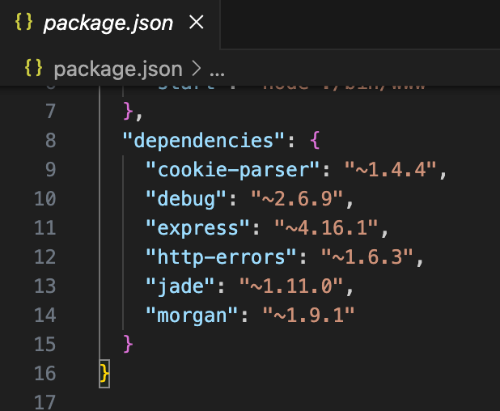
package.json 파일을 확인해봤다. express 모듈을 찾을 수 없다는 에러가 발생했는데 dependencies를 확인해보니 express가 있다.
npm list express
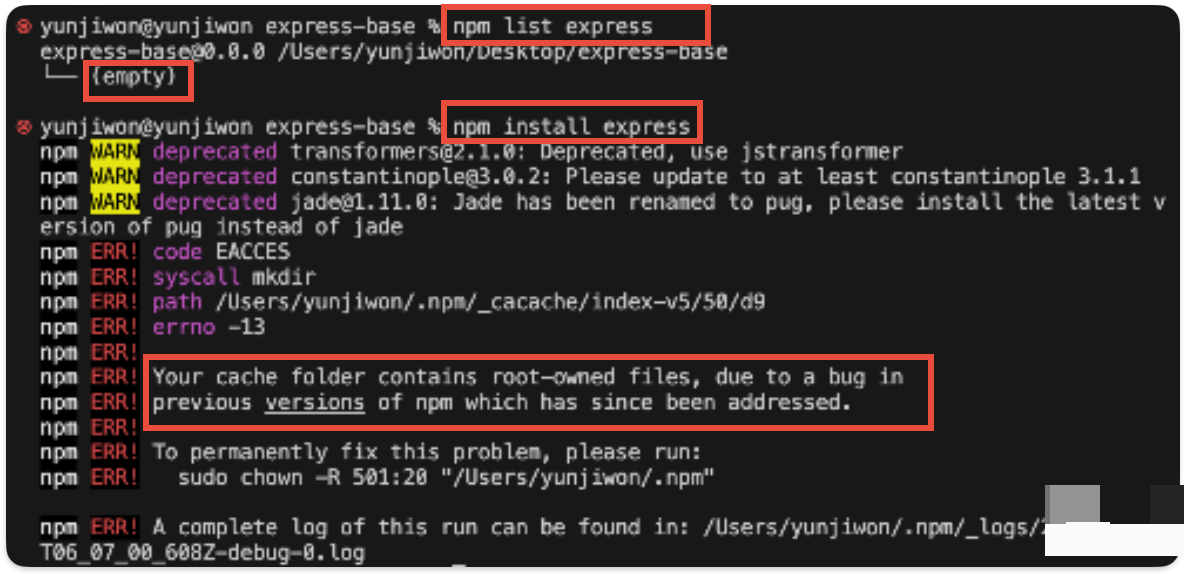
해결방법
Error "Your cache folder contains root-owned files, due to a bug in previous versions of npm" while "npx create-react-app exampl
When I was trying to create a new react app using npx create-react-app example_app, I get this error [Your cache folder contains root-owned files, due to a bug in previous versions of npm whi...
stackoverflow.com
아까 에러가 적힌 곳의 아래를 보면 문제를 해결할 방법을 친절하게 알려주고 있다.
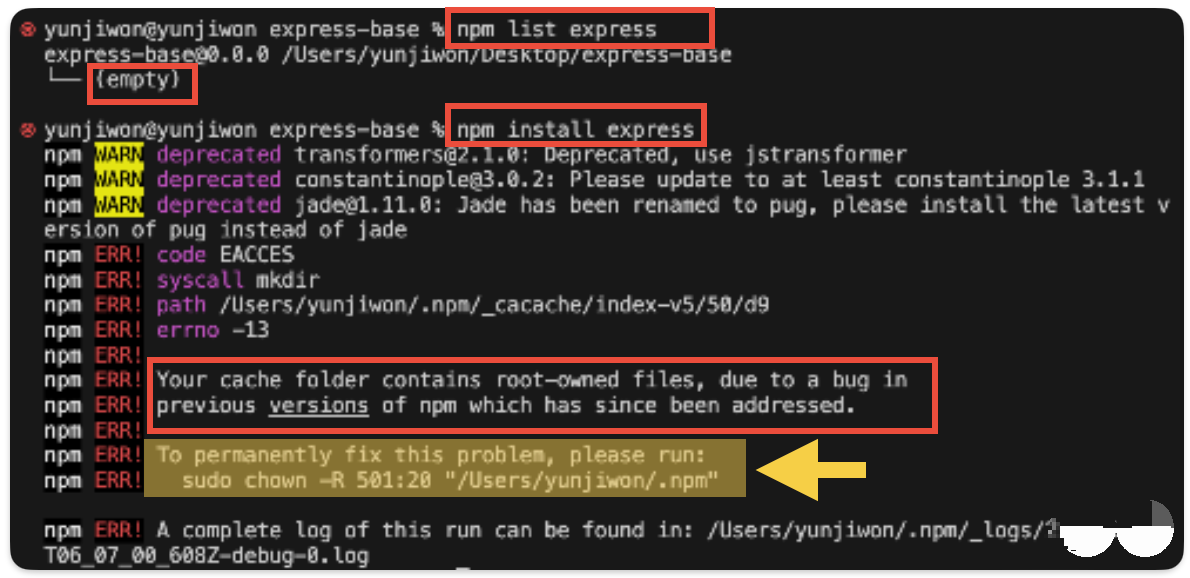
sudo chown -R username:group "/Users/username/.npm" 입력 -> password는 자신의 컴퓨터 비밀번호를 입력하면된다.

express 없기때문에 설치를 위해 npm install express 명령을 실행한다.

express 설치 완료

새로운 프로젝트를 시작할 때 npm install, npm install express를 실행 한 적이 없는데
package.json 파일의 dependencies에 파일들이 존재하는 것처럼 보였다.
express가 진짜 존재하는지 확인을 했더니 express 모듈이 없었다.
그렇다면 dependencies에 있는 패키지들이 다 없을 확률이 매우매우매우 높다.
Install dependencies -> npm install 명령어를 실행하면된다.
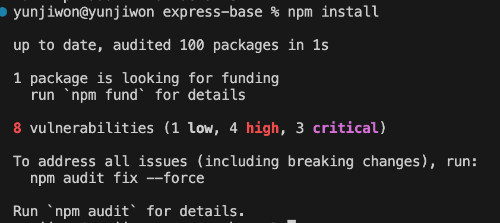
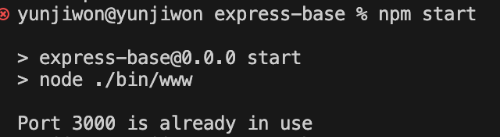
npm start로 실행시키니 포트번호 3000을 이미 사용하고 있어서 실행되지 않는다.
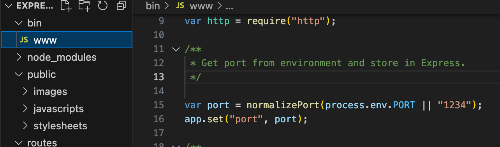
bin 폴더 > www 파일에서 포트번호 3000 -> 1234(원하는 포트번호)로 변경했다.
npm start로 다시 실행
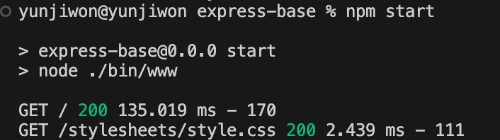
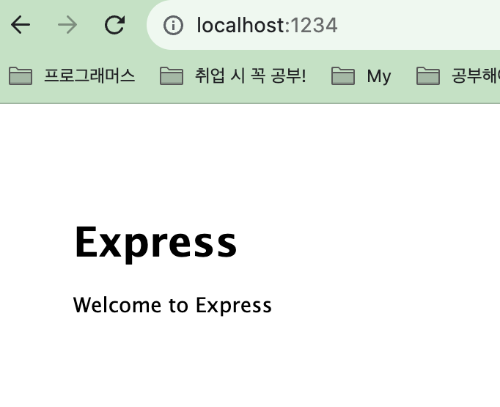
이번엔 오류없이 성공적으로 실행됐다.
'TIL' 카테고리의 다른 글
| SQL 에러 errno: 121 "Duplicate key on write or update" , ERROR 1061: Duplicate key name ~~ (0) | 2024.01.12 |
|---|---|
| Error: listen EADDRINUSE: address already in use [PORT] (1) | 2023.12.29 |
| TIL 8일차 - 백엔드 구조, 웹 서버 역할, Node.js 설치 (1) | 2023.11.30 |
| TIL 7일차 - CSS, Javascript 간단 정리 (0) | 2023.11.30 |
| TIL 6일차 - 웹의 이해, HTML/CSS/Javascript 간단 소개 (2) | 2023.11.23 |


